
Who this is for and what it does
Platform Admins setting up or checking a client. A message reads "Failed to update client setting" if a change does not save.
Steps
Open the client. Under Client settings, select Settings.
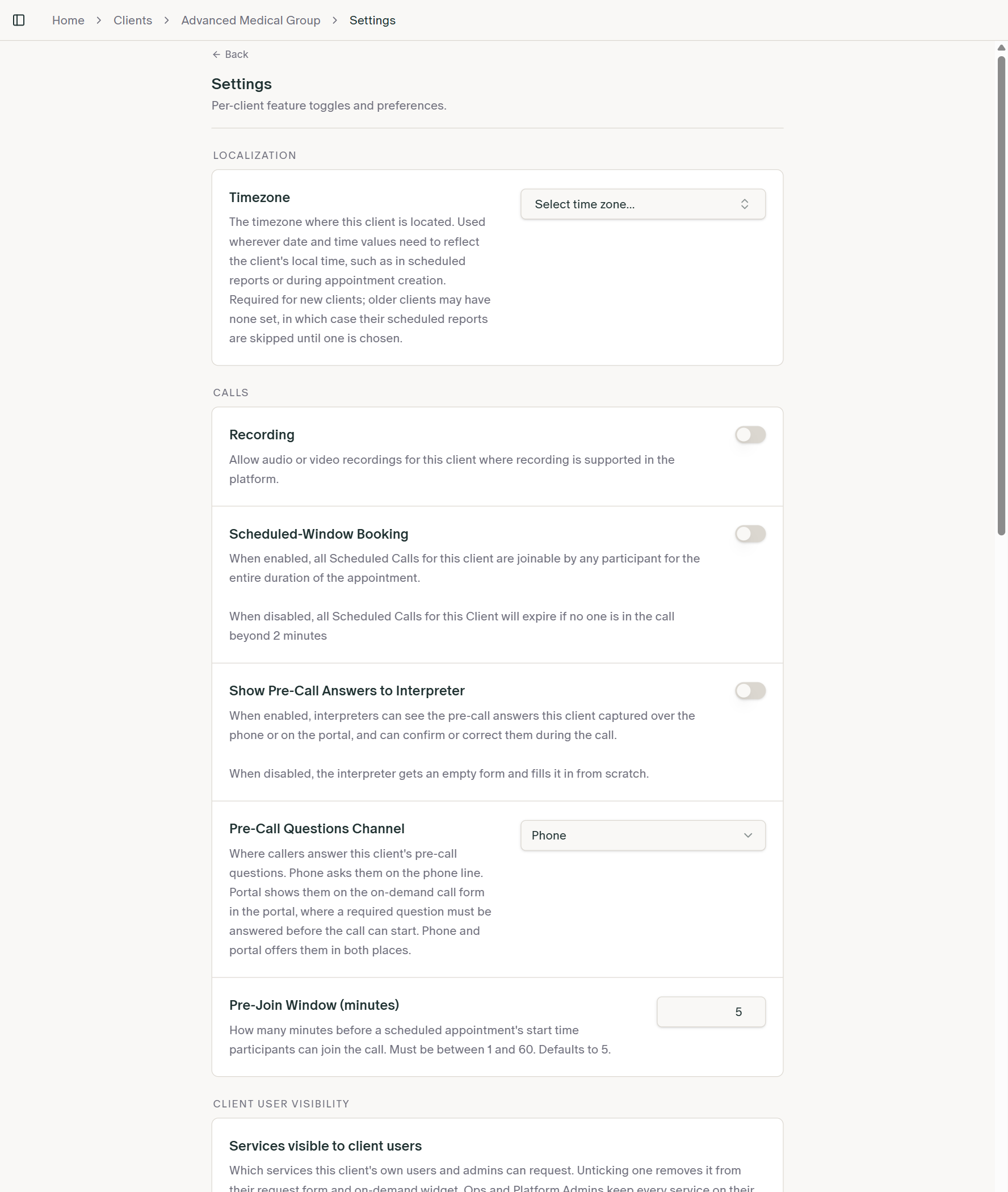
Find the setting below and follow its link for the details.
What you will see
Localization
Timezone: where the client is. See Set a client's time zone.
Calls
Recording: allows call recordings. See Turn recording on or off for a client.
Scheduled-Window Booking: keeps scheduled calls joinable for the whole appointment. See Use scheduled-window booking for a client.
Show Pre-Call Answers to Interpreter: lets interpreters see and correct the answers callers gave.
Pre-Call Questions Channel: Phone, Portal, or Phone and portal. See Choose where callers answer pre-call questions.
Pre-Join Window (minutes): how early people can join, 1 to 60. See Set the pre-join window for a client.
Client User Visibility
Services visible to client users: which services the client's users can request. See Choose which services a client's users can request.
Hide individual user PINs from client users: hides each user's phone PIN from the client's users. PINs still work on the phone.
Interpreter Matching
US-Based Interpreters Required: matches only interpreters based in the United States.
On-Demand Gender Preference: lets on-demand callers ask for an interpreter gender.
Series Interpreter Priority Window: how many minutes a re-offered series date goes only to the series interpreter before it opens to everyone, 1 to 1440, 60 by default.
Interpreter Attributes: now set on their own page. See Require interpreter attributes for a client.
Routing Workflow ID: the routing workflow for this client's on-demand calls. Leave it blank for the default.
Reporting
Daily Call Basics Report and Report Email Recipients. See Send a client a daily Call Basics report.
Billing
Mileage Reimbursement, and Client Contract Number: see Record a contract number for a client.
Things that most often look wrong, and why:
"Failed to update client setting". The change was not saved. Try again.
Available since March 2026. Updated in Release 10.19.2026.
Last updated 19 October 2026