
Who this is for and what it does
Platform Admins looking after the accounts of staff, clients and interpreters. To add a staff member, see Add a Platform Admin or Scheduler.
Steps
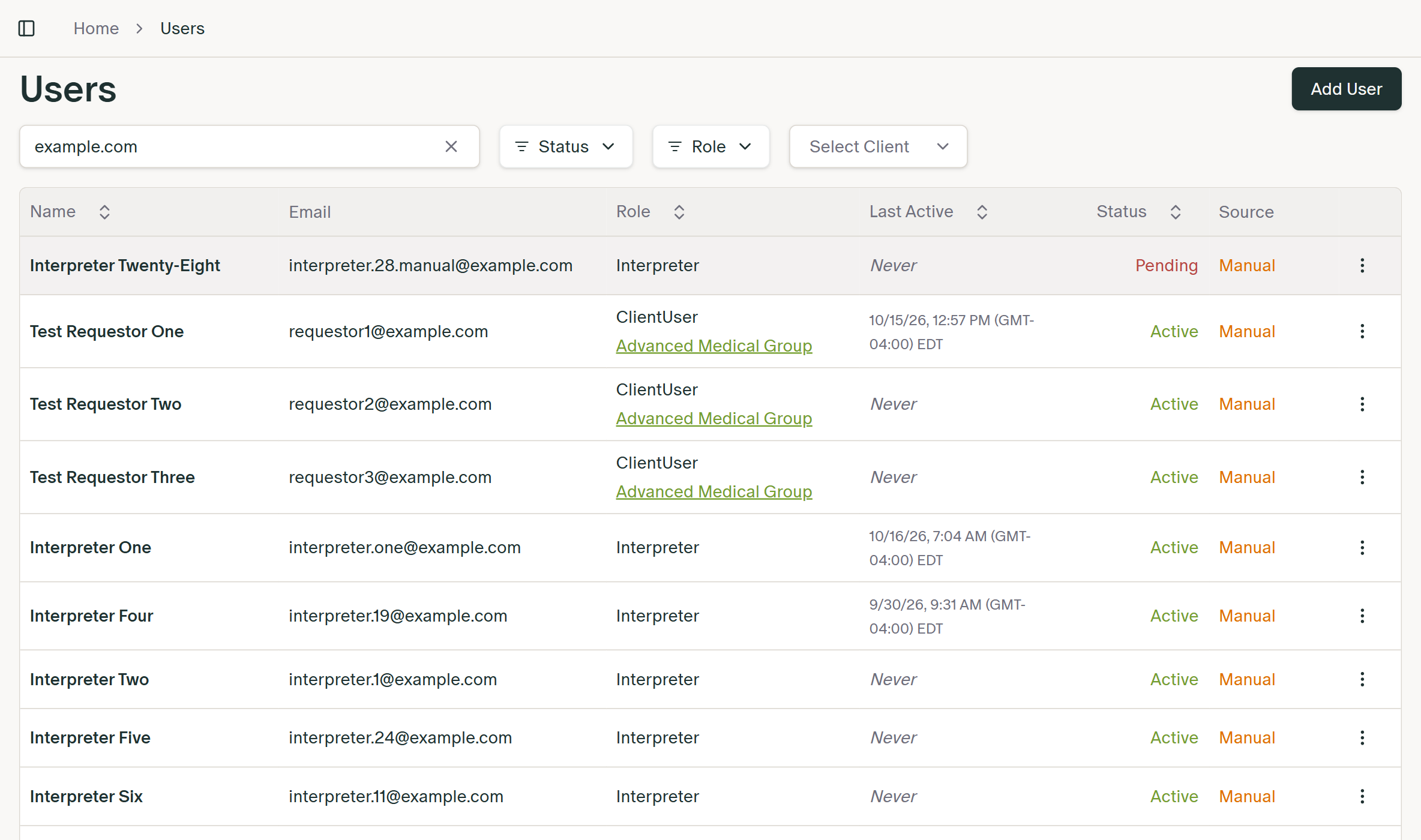
Find a user
Select Users in the sidebar.
Use Search (name or email), Status, Role or Select Client.
Edit a user
Open the row menu and select View user, then Edit.
Change the details and select Save. You can change the role of a Platform Admin, Scheduler, Account Rep or Limited user, to Platform Admin, Scheduler or Account Rep. Other users' roles are fixed.
Resend an invitation
For a user whose status is Pending, select View user, then Resend Invitation.
Deactivate a user
Open the row menu and select Delete user. For an interpreter, the confirmation is titled Delete interpreter.
Read the warning and confirm. If the interpreter holds scheduled appointments, those appointments go back to Broadcasted for reassignment.
What you will see
The list shows each user's name, email, role, when they were last active, status and Source: Manual for accounts made in Connexus, Enterprise for accounts from a customer's own directory.
Deleted users keep their history but can no longer sign in. There is no way to restore a deleted account in Connexus.
Things that most often look wrong, and why:
"This user can't be deleted here". The account comes from the customer's identity provider. It must be removed there.
The role cannot be changed. The account's role comes from its identity provider, or the user is a client user or interpreter, whose roles are fixed.
A user sees "No access yet". Their role is Limited. Give them a role. See What each Connexus role can do.
Available since March 2026. Source column and directory accounts since Release 08.20.2026.
Last updated 16 October 2026