
Who this is for and what it does
Schedulers and Platform Admins looking for a particular interpreter, or for who can cover a language right now.
Steps
Select Interpreters in the sidebar.
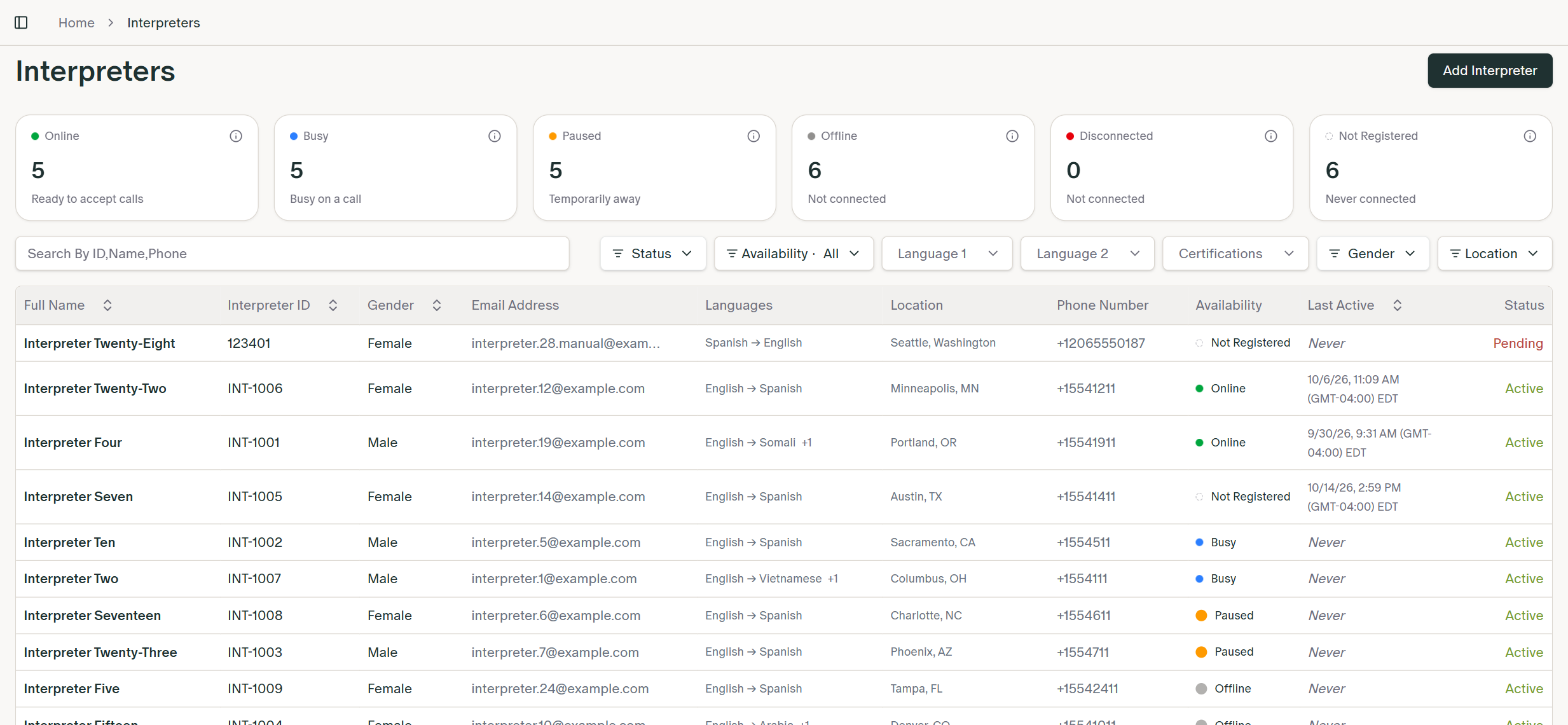
Type in the search box: a name, email, Interpreter ID or phone number.
Narrow the list:
Status: Active or Pending.
Availability: who is Online, Busy, Paused, Offline, Disconnected or Not Registered, and for how long, for example 15m+.
Language 1 and Language 2: one language each.
Certifications: tick several to find interpreters who hold all of them.
Gender, and Location by state or city.
Select a row to open the interpreter. To see their appointments, select the calendar icon beside the name instead.
Platform Admins also see presence cards above the list: Online, Busy, Paused, Offline, Disconnected and Not Registered. Select a card to show only those interpreters, and select it again to clear it. The counts refresh every 10 seconds.
To add an interpreter, Platform Admins select Add Interpreter: see Add an interpreter from Zoho Recruit or Add an interpreter who is not in Zoho.
What you will see
Each row shows the name, Interpreter ID, gender, email, language pairs, location, phone, current availability, when they were last active and their status. Your filters stay in the page address, so you can bookmark a filtered list.
The calendar is titled with the interpreter's name, shows only their appointments, and opens in month view. Change the view or the dates as on the Appointments calendar; selecting an appointment opens it and closes the calendar.
Things that most often look wrong, and why:
"No results." Nothing matches. Clear a filter or check the spelling.
An interpreter shows "Not Registered". They have never signed in to take on-demand calls.
Available since March 2026. Updated in Release 10.19.2026.
Last updated 19 October 2026