
Who this is for and what it does
Platform Admins use this to set the questions a client's callers are asked before an interpreter joins, for example a department or a reference number. A spoken question records what the caller says. A multiple-choice question lists options and the caller presses a key. The answers show on the call. Where callers answer them, by phone, in the portal or both, is a separate setting: see "Choose where callers answer pre-call questions".
Before you start
You need the Platform Admin role.
Steps
Add a question
Open Clients, open the client, and under Client settings select Pre-Call Questions.
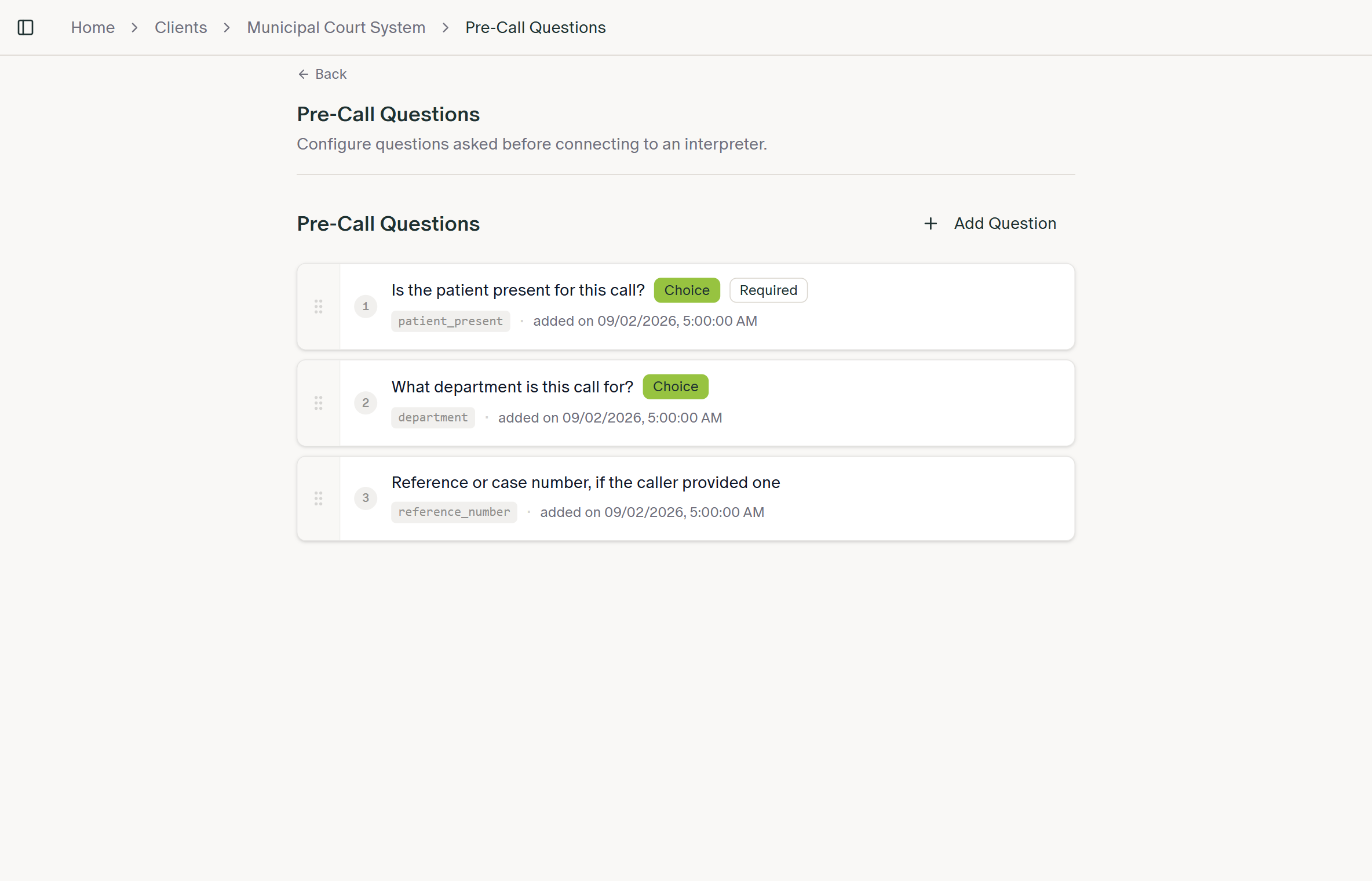
Select Add Question.
In Question Text, type the question as callers should hear it, up to 500 characters.
Check Field Name (used in exports). It fills in from the question, for example caller_name. It must start with a lowercase letter and use only lowercase letters, numbers and underscores.
Under Answer Type, choose Spoken answer or Multiple choice (keypad).
For multiple choice, type each option under Options in the order callers should hear them. Select Add Option for more, up to 10. Options are keyed 1 to 9, and the tenth is 0. Drag an option to move it; the keys follow the new order.
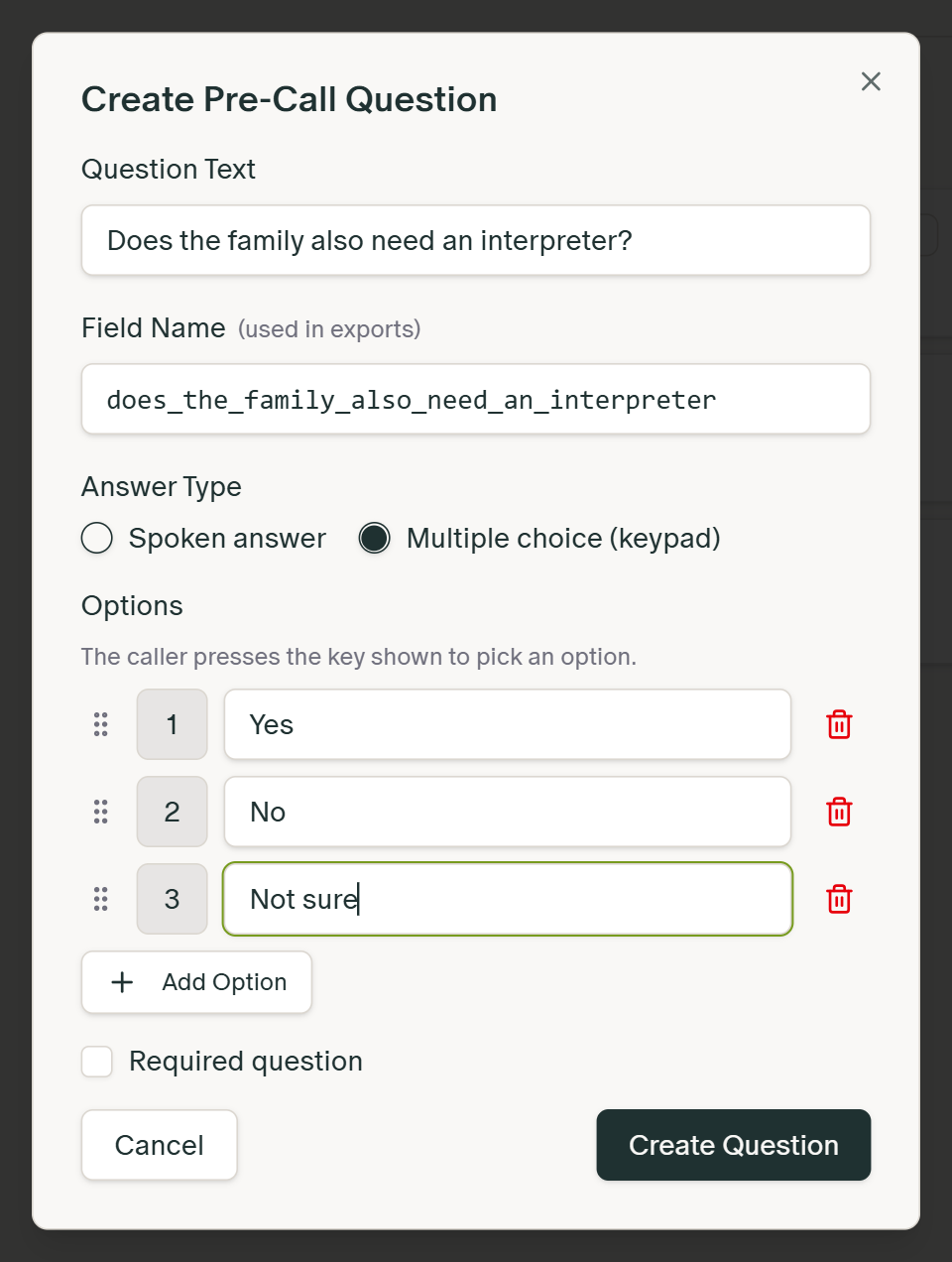
Tick Required question if callers must answer it.
Select Create Question.
Change, reorder or delete questions
To change a question, point at it and select the pencil, then Save Changes.
To change the order callers hear them, drag a question up or down. The page shows Saved.
To delete one, point at it and select the bin, then Delete. This cannot be undone.
What you will see
A message reads "Pre-call question created successfully." Each question shows its text, its field name, the date it was added, and Choice or Required where they apply.
Things that most often look wrong, and why:
"Name must start with a lowercase letter and only contain lowercase letters, numbers, and underscores". Fix the Field Name, for example caller_name.
"Add at least one option for a choice question". A multiple-choice question needs at least one option.
Add Option is greyed out. A question can have at most 10 options.
"Option label must contain at least one speakable character". An option cannot be only spaces or symbols.
Available since March 2026. Multiple choice since Release 07.27.2026.
Last updated 14 October 2026