
Who this is for and what it does
Platform Admins use this to record what an interpreter is qualified for. Connexus uses these attributes when it matches interpreters to appointments that need them, so an interpreter without a required attribute is not offered that work.
Before you start
You need the Platform Admin role.
Know which certifications, clearances and qualifications the interpreter holds.
Steps
Open Interpreters and open the interpreter.
Under Settings, select Interpreter Attribute.
To find an attribute, type in Search attributes.
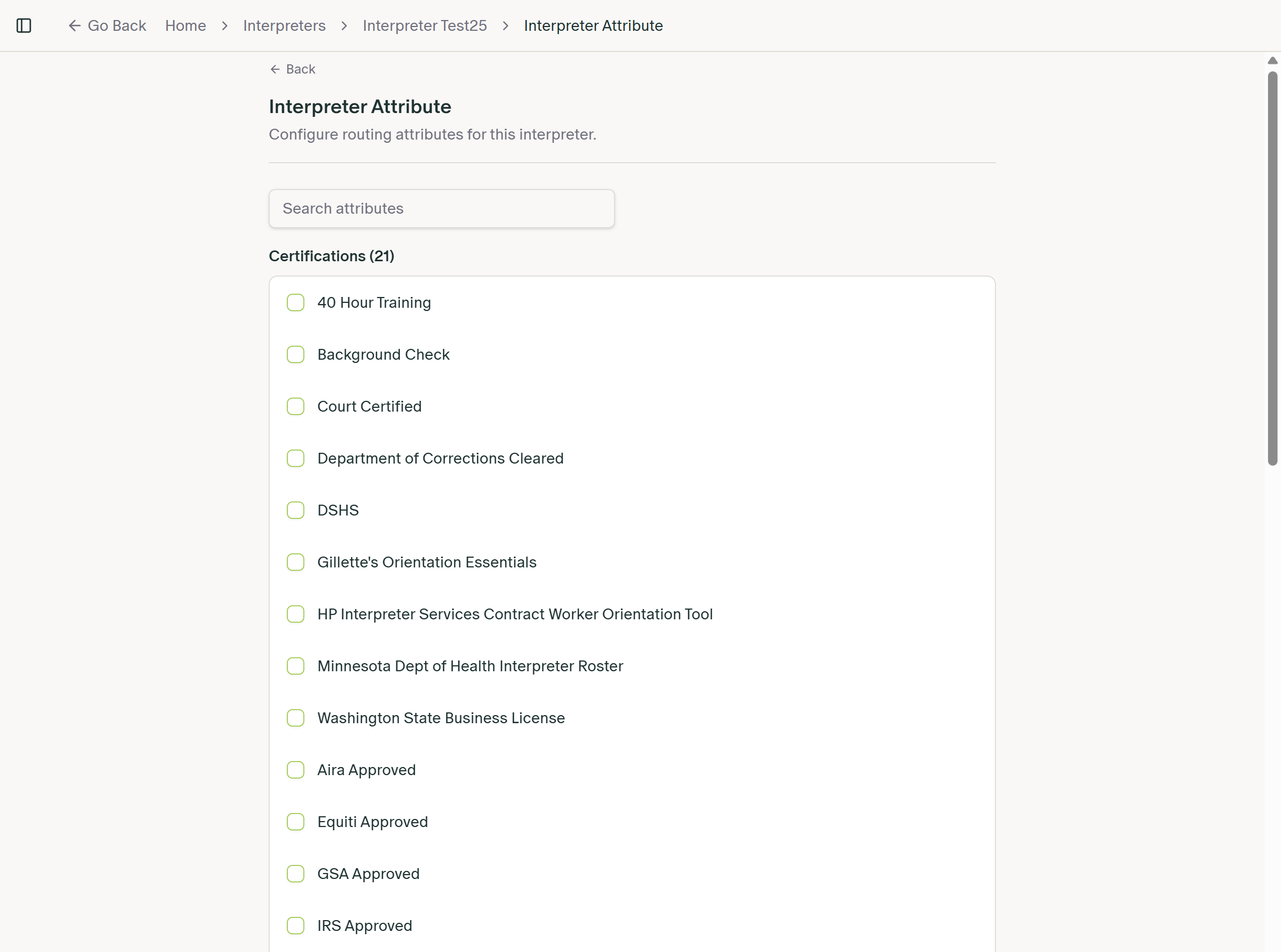
Tick each attribute the interpreter holds, and untick any they no longer hold.
What you will see
Attributes are grouped under Certifications, Health Clearances and Qualifications, with a count beside each group. A tick saves as soon as you select it. No confirmation message appears.
An interpreter added with the industry Healthcare or CMS starts with Medical Qualified ticked; with Legal, Legal Qualified.
ASL licensure attributes show under ASL Licensure for interpreters who have American Sign Language or Spanish Sign Language (LSE).
Things that most often look wrong, and why:
"No routing attributes configured yet." No attributes have been set up in Connexus yet.
"No attributes match" your search. Check the spelling, or clear the search to see every attribute.
There is no Interpreter Attribute card. Only Platform Admins can see it.
Available since March 2026. Attributes used in matching, and Medical and Legal Qualified set from industry, since Release 09.21.2026. Updated in Release 10.19.2026. Updated in Release 11.18.2026.
Last updated 18 November 2026