
Who this is for and what it does
Schedulers and Platform Admins use this when a client wants a particular interpreter they have worked with before. The preference is set on each appointment or series, not on the client.
Before you start
Anyone who can book can set a preference on a new appointment. Changing it afterwards needs the Scheduler or Platform Admin role.
The interpreter must have worked with this client in the last 12 months.
Steps
Create or edit the appointment or series, and choose the client first.
Fill in the details above the field: communication type, service delivery, languages and any gender preference. The list only shows interpreters who match them.
Open Preferred Interpreter and pick the interpreter. Type in Search by Name to find them. Picking someone else replaces your first choice.
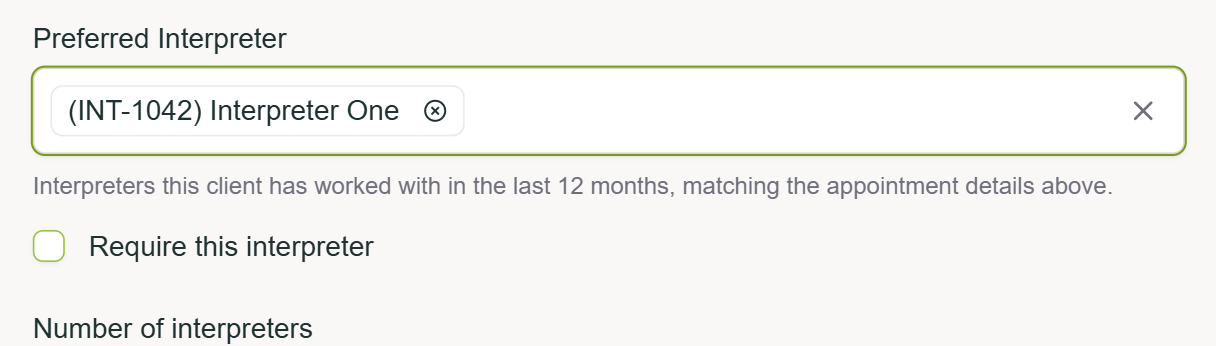
Tick Require this interpreter if the client will accept no one else.
Save the appointment or series.
What you will see
The appointment's details show Preferred Interpreter with the name, and Required if you ticked it.
A preference is not an assignment. To book the interpreter, assign them. See "Assign an interpreter to an appointment".
Things that most often look wrong, and why:
The field says Select a client first. Choose the client before picking an interpreter.
The interpreter is not in the list. They have not worked with this client in the last 12 months, or they do not match the details above the field, for example the languages.
The list says No options available. Fill in the communication type, service delivery and languages above the field first.
The preference disappeared. Changing the client clears it. Pick the interpreter again.
"This client has excluded". The interpreter is on the client's excluded list and cannot be preferred.
"Not an active interpreter". The interpreter's account is not active.
Available since Release 09.01.2026
Last updated 14 October 2026