
Who this is for and what it does
Platform Admins setting what a client's interpreters must hold, and Schedulers who staff that client's appointments.
Steps
Open the client. Under Client settings, select Interpreter Attribute Configuration.
Under Specialties, tick the specialties the client uses. Community is always offered. Choose a Default specialty, preselected when a job is booked, and decide whether the Requester can change the specialty.
Under Modifiers, set each attribute's requirement:
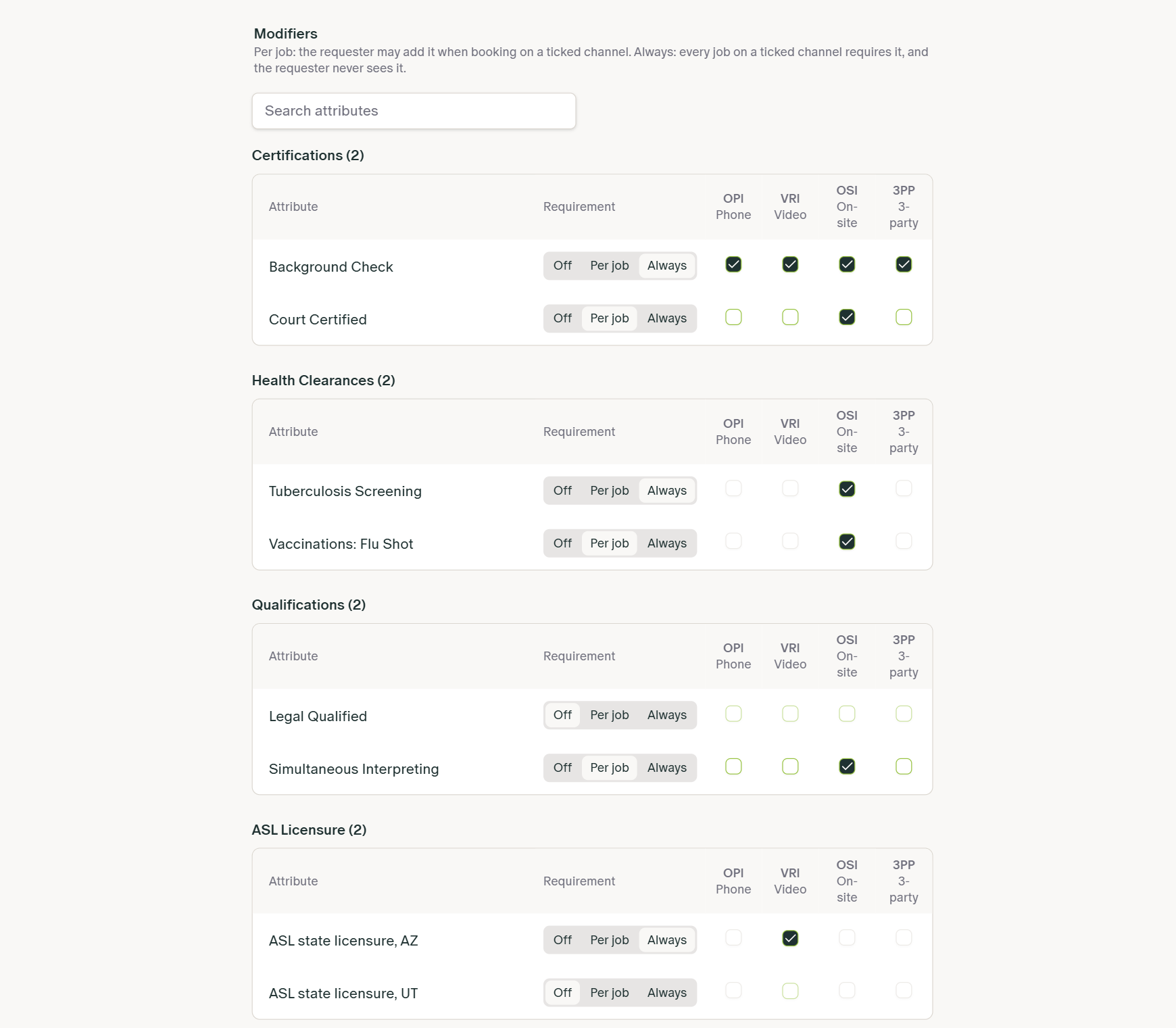
Off: not used for this client.
Per job: the requester may add it when booking.
Always: every job requires it, and the requester never sees it.
Tick the channels each modifier applies to: OPI Phone, VRI Video, OSI On-site and 3PP 3-party. A channel the attribute does not support is locked.
ASL licensure attributes show under ASL Licensure.
What you will see
On an appointment, the Required Qualifications card lists what the job requires.
When a Scheduler or Platform Admin assigns an interpreter who lacks a required attribute, the dialog reads "This interpreter can't be assigned. The client requires …, which they don't hold." and Assign Interpreter is disabled. When inviting, interpreters who lack one show "Can't be invited", and Invite anyway is disabled until they are removed from the selection.
An interpreter who lacks a required attribute cannot accept an invitation for that client's job.
Things that most often look wrong, and why:
No interpreter can be assigned. Nobody available holds every attribute set to Always for that channel. Check the client's requirements.
A requester cannot choose a specialty. Requester can change the specialty is off, or only Community is ticked.
Available since Release 10.19.2026
Last updated 16 October 2026