
Who this is for and what it does
Schedulers and Platform Admins answering "what happened to this appointment?", for example when a client asks why an interpreter changed. Clients and interpreters do not see this card.
Steps
Open the appointment.
Scroll to the ACTIVITY card. On a Completed or Cancelled appointment the card has two tabs, Activity and Interpreter time; the list below is on Activity.
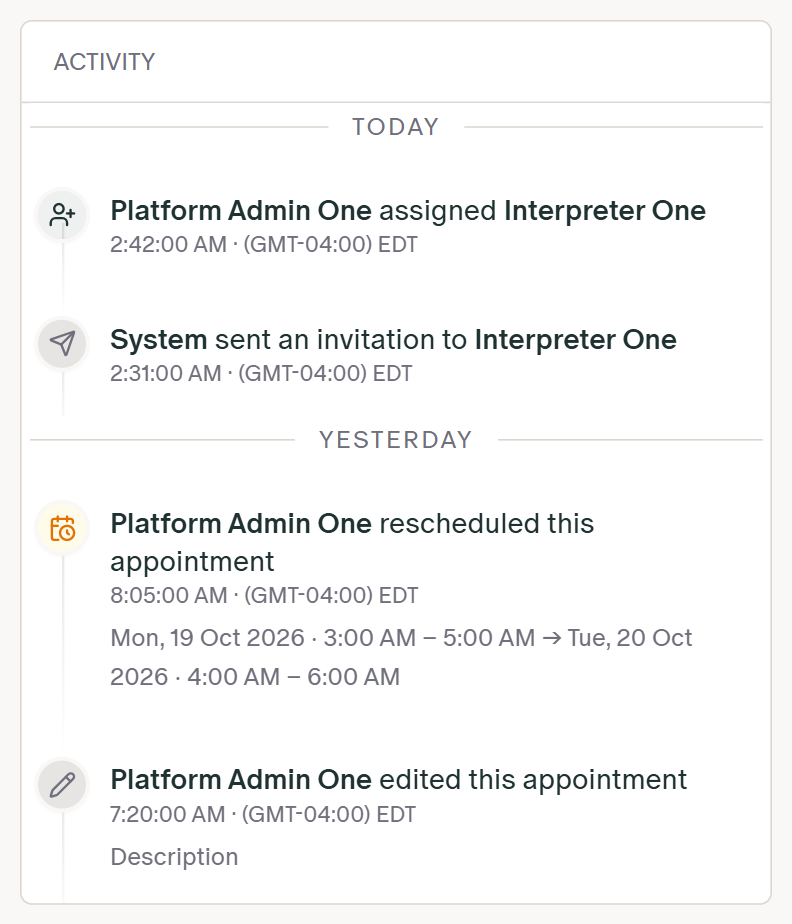
The card shows 20 entries at a time. When there are more, select Older and Newer at its foot to move between pages. The foot shows the page you are on and the total, for example Page 1 of 3.
Hover over a time to see the full date and time.
On a row that groups offers or invitations, select Show names to see each interpreter.
What you will see
Rows sit under Today, Yesterday or a date. Each row says what happened and who did it, with the time in the appointment's time zone, or your own for an on-demand call. A row done by Connexus itself shows System. Some rows have a grey second line with details, such as the changed fields, the old and new times, or the cancellation reason.
The kinds of rows include:
Booking and changes: created, edited, rescheduled, cancelled, completed, confirmed, unfulfilled.
Interpreters: assigned, unassigned, invited, accepted or declined, withdrew, and the automatic offer cycles.
Calls: call started and ended, people joining and leaving, guest links, phone participants dialled and how the dial ended, and a call that ended automatically with the reason. On sign language calls, rows show who connected in the Hot Seat or Standby, who took the Hot Seat and who moved to Standby.
Things that most often look wrong, and why:
"No activity recorded". Nothing has been recorded for this appointment yet.
A row names several interpreters as one entry. Offers or invitations sent within a few seconds of each other are grouped. Select Show names.
"Activity could not be loaded, so there is no record to read here. This does not mean nothing happened on this call." Connexus could not fetch the activity. Reload the page.
Available since March 2026. Phone dial results since Release 09.21.2026. Updated in Release 10.19.2026.
Last updated 19 October 2026