
Who this is for and what it does
Platform Admins use this for a number shared by several clients. By default, any client's callers can use a platform-wide number by entering their Client ID and Client PIN. Allowed Clients limits it to the clients you choose; a caller from any other client is turned away as if they had entered a wrong Client ID. This limits clients, not individual caller phone numbers.
With Shared PIN per client, each allowed client gets its own PIN. A caller who enters it is identified as that client, without a Client ID, and the call is attributed to the requester you choose for that client.
Before you start
You need the Platform Admin role.
For Shared PIN per client, each client needs an active user to attribute its calls to.
Steps
Open the menu under your name at the top left, choose Platform Settings, then IVR Numbers. Select Create IVR Number, or Edit IVR Number in a number's menu.
Under Assignment Type, choose Platform-Wide.
Under Allowed Clients (Optional), choose each client that may use the number. Leave it empty to allow every client.
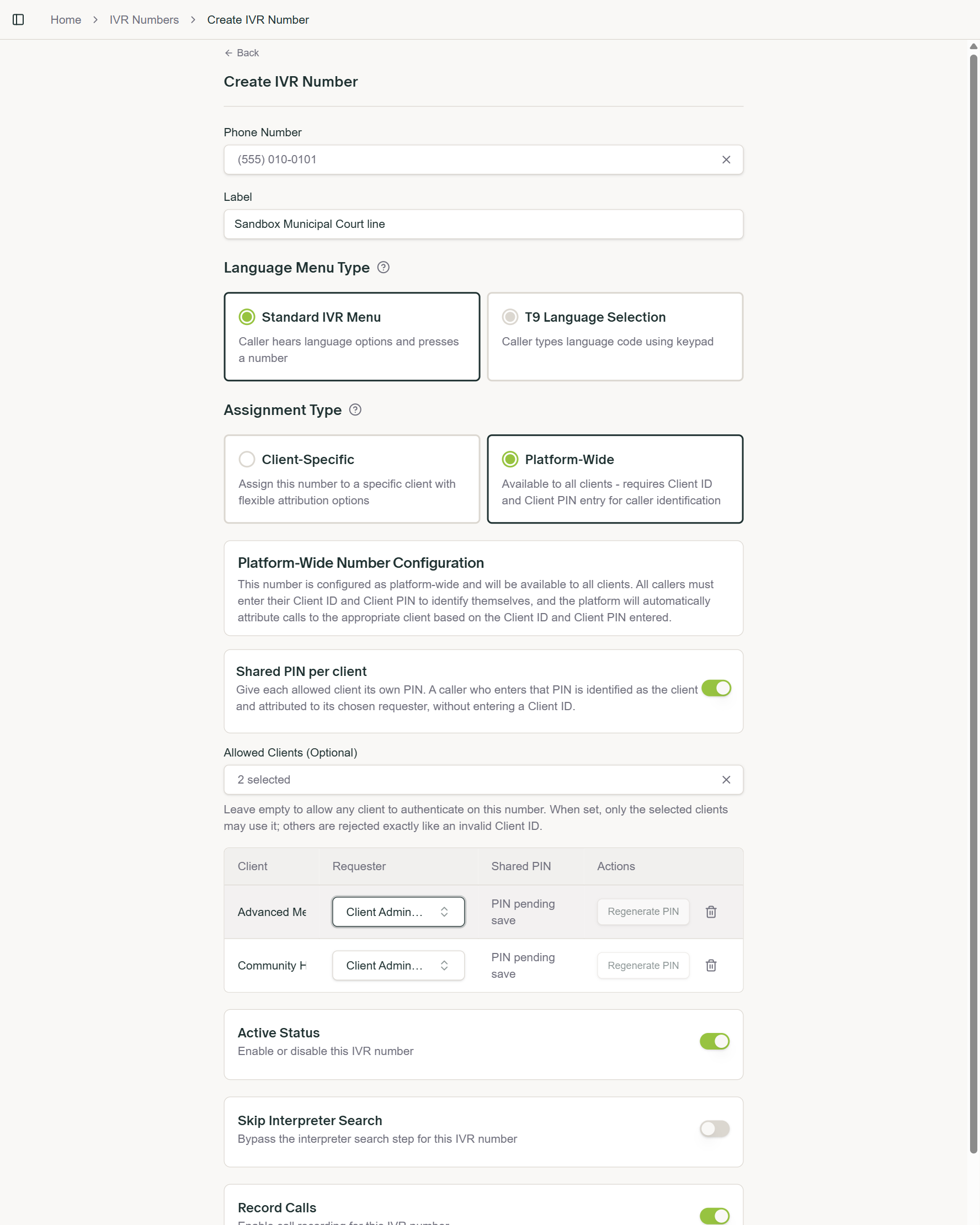
Optionally turn on Shared PIN per client, and choose a Requester for each client in the table.
Save. A PIN is created for each client that needs one, and shows in the table with a copy button.
To change one client's PIN, select Regenerate PIN on its row. Its old PIN stops working at once and the form saves.
What you will see
The IVR Numbers list shows the number as Restricted with the number of allowed clients.
If a save would delete a client's shared PIN, for example because you removed the client or turned the switch off, Remove shared PINs? asks first. Select Save and remove PINs only if those callers have been told; their PIN stops working.
Things that most often look wrong, and why:
Shared PIN per client is greyed out. Add at least one allowed client first.
"Select a requester". Each allowed client needs a requester when Shared PIN per client is on.
"Requester belongs to another client" or "Requester is inactive". Choose an active user of that client.
A client's callers are turned away. The client is not in Allowed Clients.
Available since Release 08.20.2026. Shared PIN per client since Release 10.05.2026.
Last updated 28 October 2026