
Who this is for and what it does
Platform Admins use this when an interpreter must not work for a particular client, for example after a conflict of interest or an incident. The exclusion is set on the client, not on the interpreter, and applies to that client only.
An excluded interpreter is not offered the client's scheduled appointments or on-demand calls, cannot accept the client's invitations, cannot be offered to the client by hand, and cannot be chosen as one of the client's preferred interpreters.
Before you start
You need the Platform Admin role.
Steps
Exclude an interpreter
Open Clients and open the client.
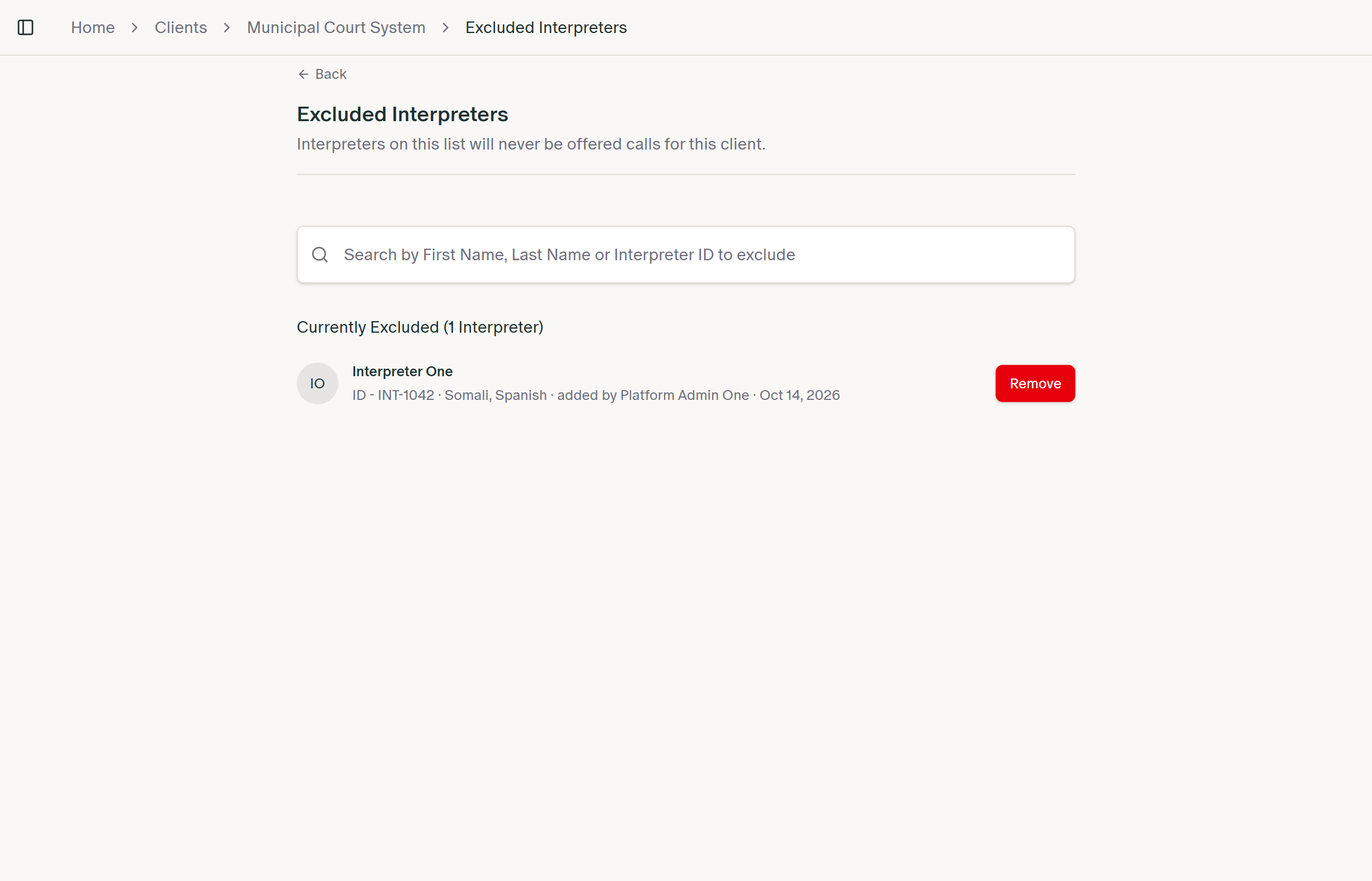
Under Client settings, select Excluded Interpreters.
Type the interpreter's first name, last name or interpreter ID, and select Add beside them.
Optionally choose a Reason (Conflict of interest, Prior incident or Other) and add Notes, up to 1000 characters.
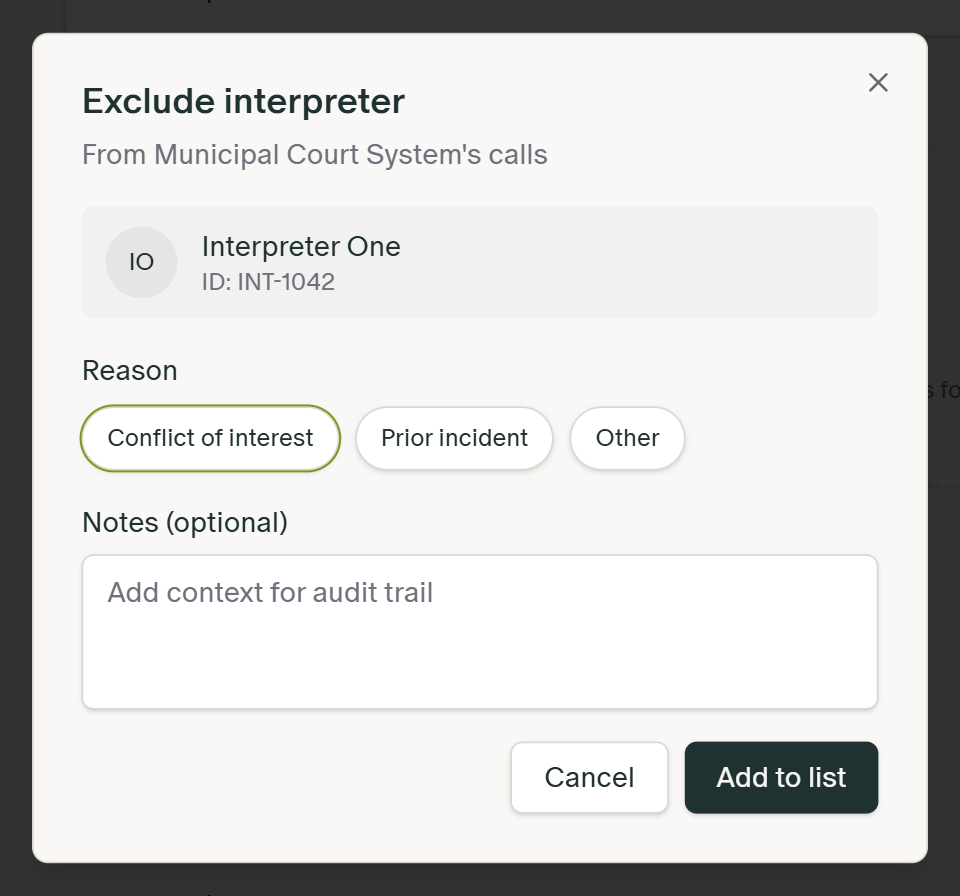
Select Add to list.
Remove an exclusion
On Excluded Interpreters, select Remove on the interpreter's row.
Select Remove again to confirm. The interpreter can be offered the client's work again straight away.
What you will see
The interpreter appears under Currently Excluded, with who added them and when. In the search, an interpreter already on the list shows Added.
Excluding stops new offers only. It does not take the interpreter off appointments they already hold for this client. Check the client's upcoming appointments and reassign any that are theirs.
Things that most often look wrong, and why:
"One or more interpreters are on the client exclusion list". You tried to offer an appointment to an excluded interpreter. Choose someone else.
An interpreter sees "This interpreter is on the client exclusion list". They tried to accept an invitation from a client that has excluded them.
The interpreter is still offered another client's work. Each client has its own list. Exclude them on each client that needs it.
There is no Excluded Interpreters card. Only Platform Admins can see Client settings.
Available since March 2026
Last updated 14 October 2026