
Who this is for and what it does
Platform Admins use this to check how a client's users sign in. With single sign-on, a client's staff sign in with their organization's own account. With directory provisioning, the client's identity provider also decides each user's role.
The page is read only. To set up, change or switch off a connection, ask engineering.
Before you start
You need the Platform Admin role.
Steps
Open your profile menu, select Platform Settings, then SSO Connections.
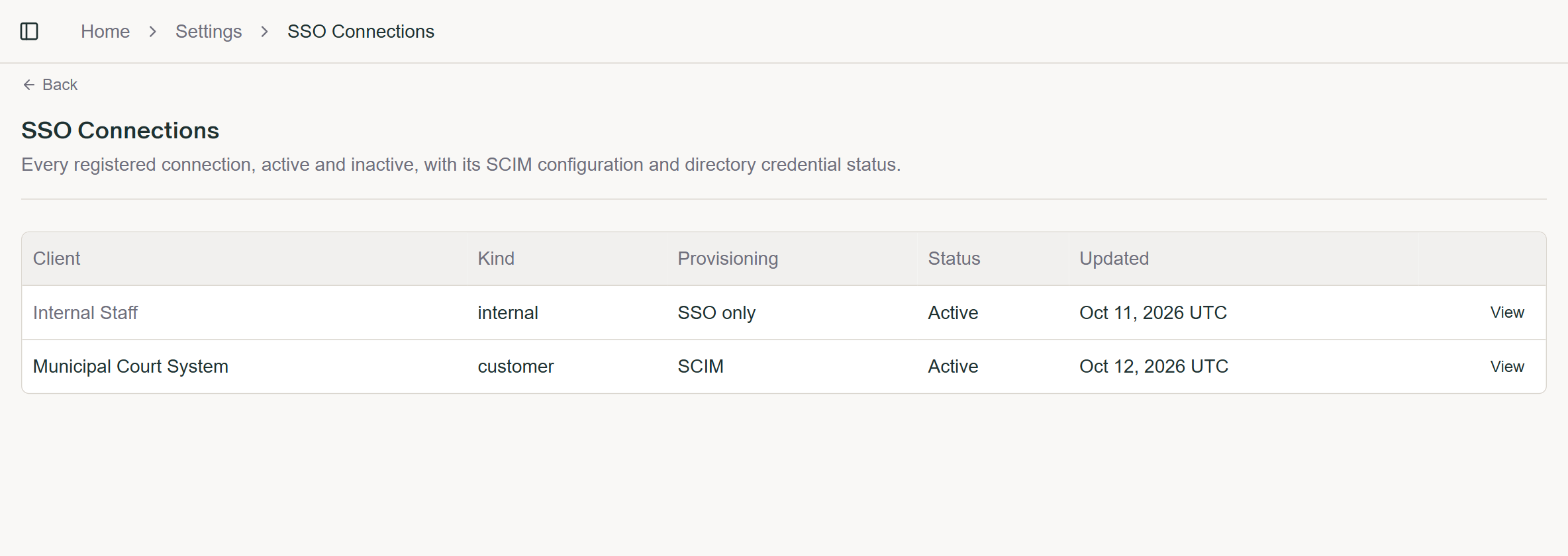
Find the client. Internal Staff is Piedmont Global's own connection.
Select View on the row to open the details.
What you will see
| Column | What it shows |
|---|---|
| Client | The client the connection belongs to |
| Provisioning | SCIM if the client's directory manages users and roles, SSO only if it does not |
| Status | Active or Inactive |
| Updated | When the connection last changed, in UTC |
The details show the Connection ID, the Organization ID, when it was Created, the connection's Default role, its Directory, its Credential and its Group mapping: which group in the client's directory gives which Connexus role. Missing under Credential means the directory token has not been loaded, so the client's first sign-in will fail until engineering loads it. Never rotated means the credential has not been replaced since it was loaded. For Internal Staff, Credential reads "Not required", because that connection does not read a directory.
What it means for the client's users:
New users get the connection's default role when they first sign in. If that is Limited, they see "No access yet" until someone gives them a role.
With SCIM, a user's role is managed by their identity provider. In Connexus their role cannot be changed, and their name and email are marked Enterprise Managed. Changes are made in the client's own directory.
On a client managed this way, Add User warns that users come from the organization's identity provider.
Things that most often look wrong, and why:
A client's user sees "No access yet". They signed in through single sign-on with the default role Limited. Give them a role, or ask the client to put them in a mapped group.
I cannot change a user's role. Their role comes from the client's directory. The client changes it there.
A client is not in the list. It does not use single sign-on. Its users sign in with an email and password.
Available since Release 08.20.2026
Last updated 18 October 2026